
Free Review QR Table Tent Template
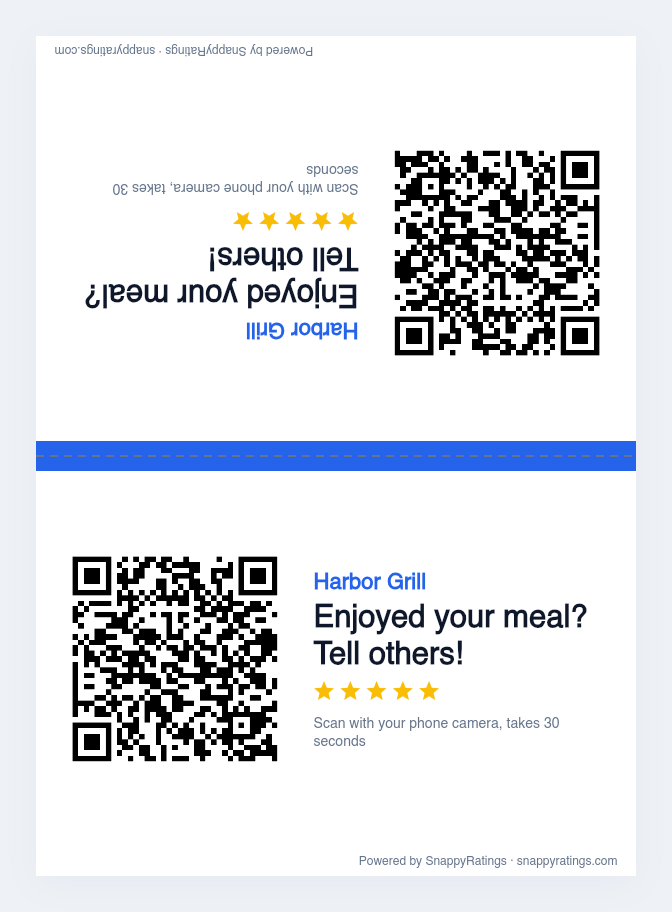
5 × 7 in, folds. Add your Google review link, name and colors, then download a print-ready PDF. No signup.
Best for
- Restaurant and cafe tables
- Waiting rooms
- Salon and spa stations
Printing and placement tips
- Fold along the dashed line; both sides print the right way up.
- Print on heavy card stock so it doesn't sag.
- Place it at the edge of the table, not behind the napkins.
This template, worded for your industry
Other templates
Know which sign gets the scans
With SnappyRatings, each sign gets a tracked QR code, so you can see which spot works best, and customers get a follow-up by text and email. Try it free for 21 days.
Start free 21-day trial, no card neededA table tent folds into a little A-frame with your review QR code on both sides, so every seat can see it. It's the natural choice anywhere customers sit for a while: restaurant and cafe tables, waiting rooms, bars, and salon stations. Diners have time to scan between courses or while they wait for the check.
Frequently asked questions
How do I fold the table tent?
Print it on one sheet, fold along the dashed line in the middle, and stand it up. The top half is printed upside down on purpose, so both faces read the right way once folded.
Do table tents work for getting reviews?
Yes, especially in restaurants. Customers have spare minutes at the table, and a code in front of them turns that idle time into reviews.
More free review tools
Ready to automate it? See how SnappyRatings works, pricing, or why Google reviews matter.
Comparing tools? SnappyRatings vs. Birdeye · vs. Podium · all comparisons
SnappyRatings is not affiliated with or endorsed by Google. “Google” is a trademark of Google LLC.