
Free Review QR Counter Card Template
4 × 6 in. Add your Google review link, name and colors, then download a print-ready PDF. No signup.
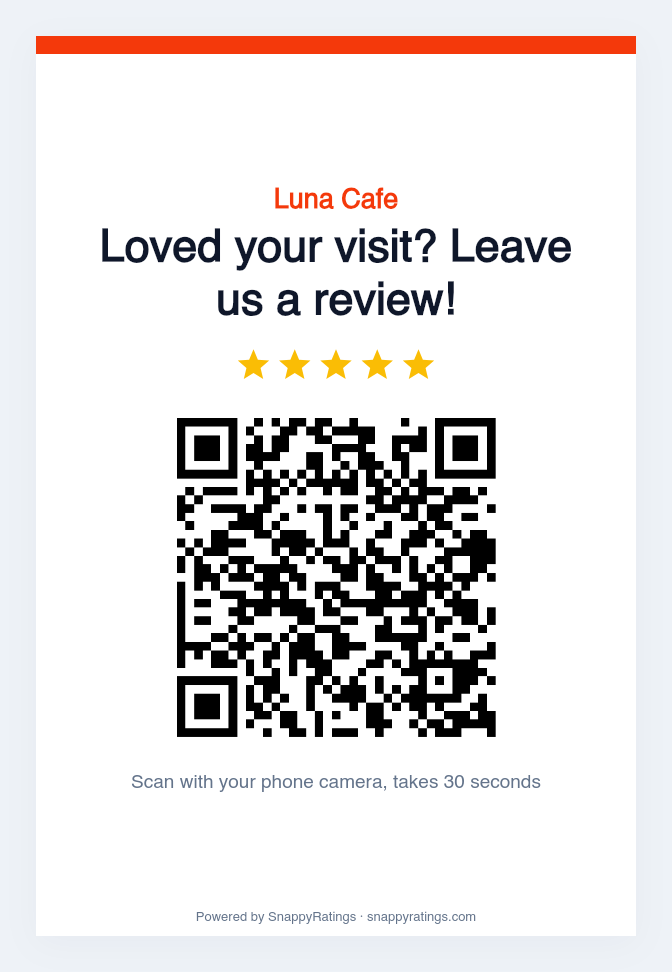
Best for
- Checkout counters and front desks
- Reception areas in clinics and salons
- Next to the card reader or tip screen
Printing and placement tips
- Put it beside the card reader: customers are looking down at it anyway.
- Use a 4 × 6 acrylic sign holder; they cost a few dollars.
- Print on card stock (at least 80 lb / 216 gsm) so it stands up straight.
This template, worded for your industry
Other templates
Know which sign gets the scans
With SnappyRatings, each sign gets a tracked QR code, so you can see which spot works best, and customers get a follow-up by text and email. Try it free for 21 days.
Start free 21-day trial, no card neededThe counter card is the workhorse of review signs: a 4 × 6 inch card that stands in a cheap acrylic holder right where customers pay. It's small enough to fit any counter and big enough to scan from arm's length, and it catches people at the moment they're happiest with you: right after a good visit, phone already in hand.
Frequently asked questions
What size is the review counter card?
4 × 6 inches, the size of a standard photo print. It fits common acrylic sign holders and prints at any photo counter or on letter paper (trim to size).
Where should I put a review QR code at checkout?
Right next to where customers pay. That's where they already have their phone out and are thinking about the visit.
More free review tools
Ready to automate it? See how SnappyRatings works, pricing, or why Google reviews matter.
Comparing tools? SnappyRatings vs. Birdeye · vs. Podium · all comparisons
SnappyRatings is not affiliated with or endorsed by Google. “Google” is a trademark of Google LLC.